Find the mistake. Keep the solve.
Something doesn't fit. Before you erase everything, look for the smallest thing you can explain and repair.
Back to today's puzzle
1. A red number is a warning, not a verdict
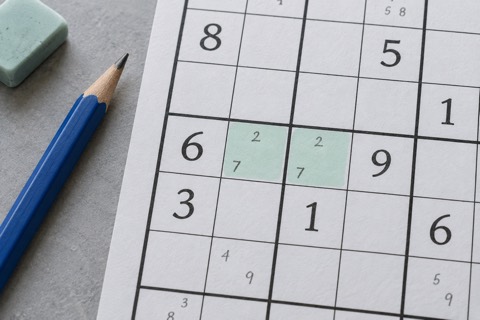
In DaySudoku, red marks a repeated player-entered digit in a row, column or 3×3 box. It tells you that a Sudoku rule is being broken. It does not tell you which of two player entries caused the mistake.
If two of your entries repeat each other, either one could be the earlier error. Check the reason behind each placement before deleting both. If your entry repeats a given, the given stays: those starting numbers are fixed.
Just as importantly, not red does not mean correct. A number may fit the current row, column and box but still be the wrong final answer. Try to keep a reason for each placement, rather than treating the absence of a warning as approval.
2. Protect the givens
Here is one example row. Only the eighth cell is a player entry; the other numbers are givens. Which entry cannot stay?
- 8
- 2
- 5
- 1
- 7
- 4
- 9
- 7
- 3
See the answer & why
The entered 7 in the eighth cell. It repeats the given 7 in the fifth cell. Keep the given and erase the player entry. This row needs 6, but a full-board placement also has to agree with the crossing column and box.
This example deliberately shows only a row. On a real board, a replacement must also fit its column and box. If the number a row needs clashes elsewhere, that clash is useful evidence that another entry needs checking.
3. Undo one step, not the whole puzzle
If you noticed the problem immediately after an entry, Undo is a good first check. It reverses the latest edit, including a note change. Look at the affected row, column and box again before continuing.
If the suspect entry is older, select that editable cell and use Erase. Erase clears the final number or its notes; it does not alter the givens. Rebuild that cell’s candidates from the current board rather than putting back the same guess.
Undo history lasts for the current visit. After a reload, saved numbers and notes can return, but the earlier undo steps do not. That is a reason to use targeted Erase, not to abandon a partly solved board.
4. What if a cell has no candidates?
First, distinguish an empty note list from no digit fitting the rules. Your notes may simply be incomplete. DaySudoku does not generate or remove candidates automatically, so recheck the row, column and box yourself.
| Check | Possible digits |
|---|---|
| Missing from the row | 2, 5 |
| Missing from the column | 1, 5, 8 |
| Missing from the box | 3, 7, 9 |
See the answer & why
None. 5 survives the row and column checks but is not allowed by the box. No candidate is shared by all three lists. First recheck that the lists are accurate; if they are, at least one existing player entry must be reconsidered.
If all three lists are accurate and their intersection is empty, the current entries cannot lead to a completed Sudoku. This does not identify a particular guilty cell. Revisit recent placements that depended on a guess or on incomplete notes.
For a refresher on comparing the three lists, see Find your next move. For keeping possibilities separate from final answers, see Make notes work for you.
5. A short recovery routine
- Stop adding final digits for a moment.
- Check any repeated entries against their row, column and box.
- Revisit the most recent placement whose reason you cannot explain.
- Undo or erase one suspect edit, then recalculate the affected notes.
- Look for a nearly finished unit or a cell with one remaining candidate.
If you are still stuck, take a break or choose one empty cell for Hint. Hint fills that selected cell only and counts toward the result. It is not a whole-board error finder, and it cannot hint an already filled cell. Undoing a hinted entry does not remove the hint from the count.
The aim is not to finish at any cost. It is to reach a next move you understand. A partly solved puzzle with one uncertainty removed is still progress.